How To Attract More Customers To Your Local Business?

local business

Customer acquisition might not be the easiest task, but it’s something your business needs to thrive. Clients are the basis of any business, giving you revenue and brand awareness. Even if you build up a loyal customer base, new customers are key to scaling the business for the long term. You can’t always depend on repeat customers because they can move away or do less spending one day. 

Whether you’re a new business or have been working for years, the following tips might be helpful to get more customers and increase sales. Let’s dive into the details.

Build a mobile-friendly website

Bringing new customers starts with building your visibility online. A mobile-friendly site is the foundation of your online visibility. 

What does mobile-friendly actually mean?

It means displaying a different ‘version’ of your website to visitors viewing your site from mobile in order to give them a better experience. It’s known that 70% of the whole web is on mobile-first indexing. In terms of SEO, it means that Google indexes the mobile version of your site instead of the desktop one. 

So if your site isn’t mobile-friendly, it won’t see high rankings. 

You can quickly test your site’s current mobile friendliness using Google’s free tool.

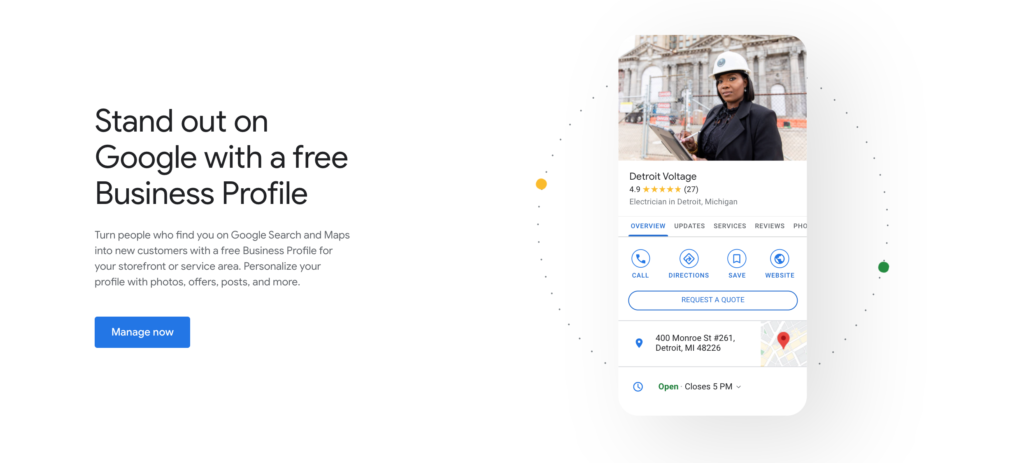
Create a Google My Business listing 

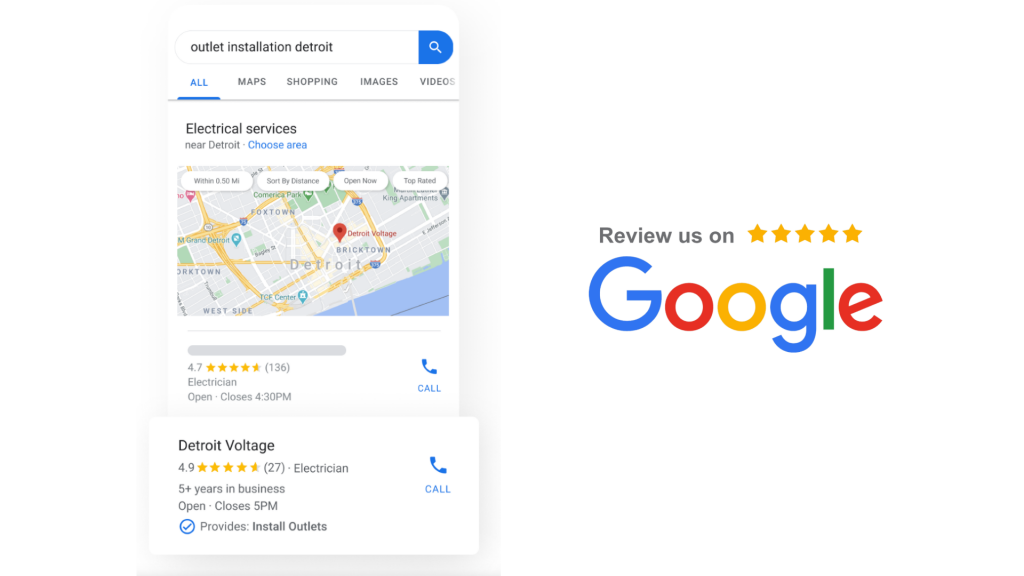
Google My Business is a free online business listing. Claiming your Google My Business profile means you’ll show up in Google maps and Google search results. Google is the most used search engine globally, and nearly half of searches are for local businesses.

Why does it matter?

The more complete your business listing is, the higher you will rank in relevant search results. Businesses that claim a Google My Business profile typically receive more clicks and are more likely to attract new customers to their physical location. Besides, Google listing ensures your clients see the correct information about your business when searching for you. 

Collect more reviews 

It’s already proven that customer reviews win attention and new clients. Statistics show that the greater part of customers use reviews to determine what products or services to purchase. 

At the same time, many customers distrust businesses with ratings below four stars, and companies with higher average ratings are more likely to see traffic converted to sales. 

Asking clients to leave a review can be a winning marketing strategy for your local business. 

How to engage customers to leave a review?

  • Create an email sequence to follow up with customers and gather writeups about their experience
  • Engage with customers face-to-face and ask for a review in person 
  • Write a short and eye-catching review request on your menu or list of services 

If you’re looking for a more convenient and time-saving solution, try the reputation management platform. It helps you automate gaining customer reviews. Businesses that automate review requests can often double or triple the review volume. 

Amazeful sends an automated email or SMS review request to your clients with a link to leave their feedback on review sites like Google, Facebook, Yelp, etc.
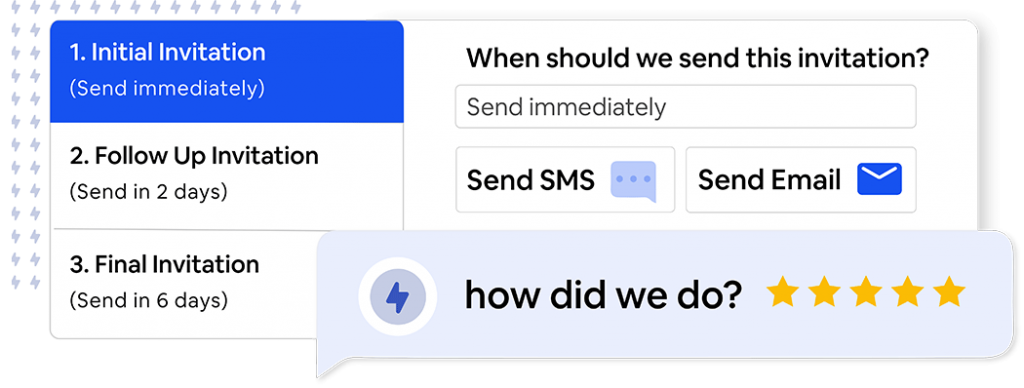
It’s not only an automation solution, but it also helps you deal with negative reviews, analyze your online reputation and improve customer experience. 

Click here to request a demo.

How To Ask Clients For Google Reviews?

A clear understanding of how to get reviews on Google is essential for any business’s success. It’s a perfect way to boost search engine optimization, attract new customers and build loyalty. 

How do you get reviews on Google? Have you ever asked this question? For many businesses, it is a manual process. It takes time and requires patience. But there is an easier, faster, and automated way to get more customer Google reviews.

This article will help you understand how to start asking for Google reviews painlessly and grow your online reputation. 

We will discuss:

  • Why should you ask for Google reviews?
  • How to set up Google My Business to start asking for reviews?
  •  How to ask customers for Google Reviews?

Why should you ask for Google reviews?

  1. Google reviews greatly influence customer behavior. The majority of people read online reviews when they choose a service or a product. The first place they go is Google. If most of your reviews are positive, then more potential clients are likely to choose your business. For this reason, most business owners want to know how to increase google reviews.
  2. Google ranks businesses with fresh and qualified reviews higher in local search. It gives your business credibility and engages more customers. 
  3. Reviews help you understand which areas of your business work well and which need improvement. Not all reviews are fair, but some of them can provide you with valuable information on how to improve your customer experience. Besides, with the Google review management solution, you can easily manage negative feedback and deal with it before it is published on review sites. 

How to set up Google My Business to start asking for reviews?

To start receiving more Google business reviews, you need to set up a Google My Business account. It lets you show up in search results when people are looking for your company online. 

Follow these steps to create and claim your account:

  1. Go to Google My Business.
  2. Click ‘Manage now.’
  3. Provide the basic information about your business (business name, address, website, phone number, etc.).
  4. Request to claim your business. You can do this by locating your Business profile on Google Maps or Google search and requesting to claim it.
  5. Provide information that Google will ask to verify ownership of the business.

 How to ask customers for Google Reviews?

How to request a google review? A question that worries any business owner. You can find dozens of online articles that tell you how to ask for reviews manually and when and how to ask for customer feedback. All these methods are worth trying, but they don’t guarantee you a regular flow of fresh reviews and take time. When you use Amazeful – a google review management software, you spend your time more effectively and get more positive reviews using an automation solution. 

How to ask for a google review with Amazeful?

Your customer will be sent an automated email or SMS to review your business. It is a perfect automation solution to get more reviews posted online, increasing your visibility and attracting more clients. If a customer overlooks your review request, he will be sent a review reminder for a greater conversion rate.

Why does your business need a Google reputation management platform?

1. To save your time

As a business owner, the last thing you have time for is managing review sites and asking for customer feedback. You can hire a person who will do this work for you, but having a google review automation will be cheaper and much more effective for your online reputation. 

2. To improve your online reputation on Google

People make decisions about purchases fast – only with one Google search. If your reviews are positive, you’ve likely to attract a new client. If most of them are negative or you have only a few reviews posted on Google, your potential client will move on to your competitor. With Amazeful, you can easily manage your negative reviews. Once you receive a negative review, it will be sent to you privately, and you can find the solution for the client’s problem offline. This way, your negative reviews won’t be posted online, ensuring a greater online reputation on Google. 

3. To get more reviews posted on Google 

With the GMB reviews management solution, you won’t be askingHow to get more Google reviews?’. Once a new client appears in your customer list, he will be sent a review request to share his experience with your business. This way, you will cover all your existing customers, and new reviews will be automatically posted on Google. The more reviews you have posted, the better for your business. You rank higher on Google, get more clients, and your business grows.

4. To make the process convenient for your client 

It is essential to make the process of review requests convenient for your client. If the process is hard, long, and requires hundreds of steps, you probably won’t receive a new google my business review. Amazeful makes this process as simple as possible. A few clicks and you get a new review posted on Google. 

Try Amazeful today – click here for our latest specials. 

How To Increase Online Sales For A Local Business?

The Internet has become a significant strength nowadays. It is used to purchase products, find places to eat, communicate with friends, and book holidays. If a person is going to buy something online, he will first Google it and go through the result pages before choosing the right seller. Therefore, being present online in search engines is crucial for any company, including local businesses.

If you see a decline in your sales, it’s time to refresh your online strategy. Here is a working strategy for local businesses that intend to increase online sales.

Get listed on Google My Business

Google My Business is a free tool that allows you to manage your online presence across Google Search and Maps. When someone looks up your business name or a related term, he’ll easily find all the necessary information about your company. Google requires you to provide the business name, location, and category. Once Google confirms your Business profile, it is open to customers to leave reviews, add photos and ask questions. 

What are the main Google My Business benefits?

  1. Your business will show up in Google Maps searches and boost sales.
  2. By showing up in local searches, businesses on Google My Business are 70% more likely to attract potential customers for in-store location visits.
  3. Google My Business lets you rank higher in Google search.
  4. Increase engagement with your brand. People can easily visit your website or call you with just one click. 

Ask your customers to review your business

90% of people read reviews before making a purchase. 63% indicate they are more likely to buy from a site that has product ratings. Asking your happy customers to review your business on Google or any

other site that matters can significantly increase sales and engage new clients. Point your customer to one or two websites where the majority of your reviews are being seen. 

How to ask for reviews?

The most convenient way that saves your time will be using the reputation management service. It helps fully automate gaining customer reviews, so you can spend your time improving other business processes. 

How does it work?

  1. The customer receives an automated email or message to review your business.
  2. Once the message is received, the client is directed to review your business on Google, Facebook, or any other review site.

The platform has in-depth reporting that lets you analyze online feedback, manage negative reviews, send review reminders, and more. For more information and features, visit this page.

Increase social media presence

Millions of people are scrolling their feed every day to discover new content and interact with brands and companies. If you want to attract more potential clients, you need to work on your social media presence. 

Social media platforms can increase traffic to your website. When you promote content on social media, people who are already interested in your company can visit your site in one click. Gaining some extra traffic is a working method to rank higher in Google search and be chosen by more customers. 

Besides, you can build trust with existing customers, understand their needs, and increase loyalty with social media. Take the opportunity to:

  • Ask your audience questions
  • Respond to the comments
  • Post relevant content
  • Create a community 

Conclusion

As a local business, you always need to find a way to stand out from competitors. Take a close look at your marketing strategy and ask yourself if it’s generating the results you’re looking for. If not, it might be time to try new approaches to promoting your business. Use this guide as a reference to refresh your online strategy.